Wild Blue Skies Controller Layout
Gamepad mapping for laser, charge, bombs, boost, tilt, and barrel rolls
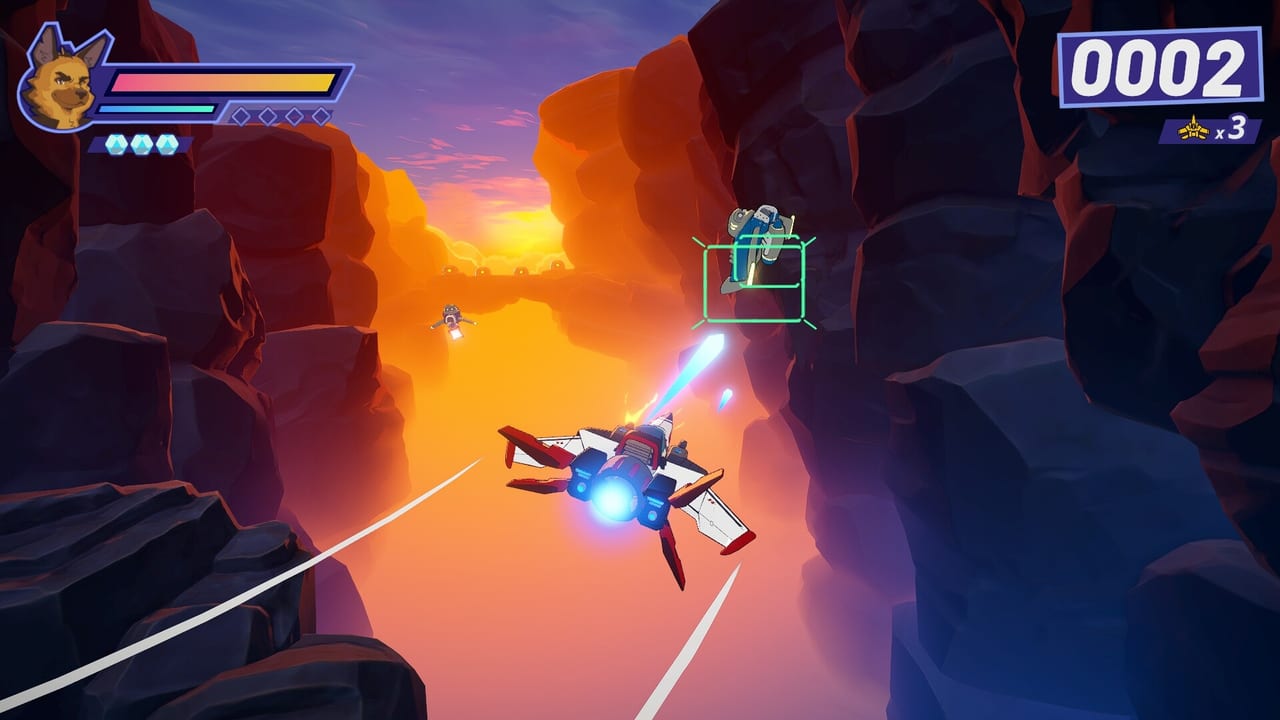
Most Wild Blue Skies players will fly with a controller, whether on PlayStation 5, Xbox Series X|S, or Steam with a pad plugged in. Chuhai Labs and VITEI BACKROOM designed the layout around modern triggers and shoulders rather than a single “fire everything” face button. That approach matches the game’s medal-focused scoring and branching routes, where you often need to boost through a gap, tilt around a turret, and release a charge shot without canceling your laser burst.
This page documents the controller layout observed in the Steam demo and pre-release console previews ahead of the August 13, 2026 launch. Nintendo Switch uses the same logic with different glyph names when it arrives in fall 2026. If you prefer keys, see Keyboard and Mouse; for how each input behaves in combat, see Combat Moves.
Face buttons and weapons
Wild Blue Skies separates laser and charge shot onto distinct inputs. The laser button fires a three-round burst. Holding or mashing it does not turn the laser into a continuous beam—rapid presses can actually interrupt the burst cadence and reduce damage per second. Treat laser as a rhythmic tap unless you enable auto-fire in Settings and Auto-Fire.
Charge shot uses its own button. Build the charge while lining up a priority target—elite fighters, turret cores, or a boss weak point—then release when the reticle settles. Star Fox veterans often bind charge to the same finger muscle memory as laser; unlearning that habit is the fastest way to improve early demo scores.
Bombs sit on a separate face or shoulder input depending on platform preset. Bombs clear small enemy clusters and buy space during set-piece waves. They are limited, so save them for moments when tilt and barrel rolls cannot safely reposition you on the rail.
Triggers: boost and brake
Boost and brake map to the left and right triggers (LT/L2 and RT/R2 on Xbox and PlayStation naming). Boost pushes you along the rail faster for time gates, medal thresholds, and certain branch entrances that close if you arrive too slowly. Brake slows your craft for precision segments—tight rings, interior tunnels, and secret path mouthpieces that punish overshooting.
Using boost and brake is not optional fluff. Branching missions in Wild Blue Skies often hide alternate routes behind speed checks or slow-drifting challenges. Pair trigger control with the Branching Paths guide once you know the layout.
Bumpers: tilt and barrel roll
Tilt lives on the bumpers (LB/L1 and RB/R1). Tilt shifts your craft within the on-rails lane, letting you scrape through narrow gaps and align shots on off-center targets. Because the camera follows the rail, tilt is your primary dodge tool—not free flight.
Barrel roll executes with a double-tap on a bumper. The move grants brief invulnerability frames in classic arcade fashion and can clear minor projectiles when timed correctly. Practice the double-tap separately from tilt holds; accidental rolls waste cooldown windows during boss phases.
Pause menu diagram
When you pause, Wild Blue Skies shows a control diagram on the left side of the menu. This is the authoritative reference for your active device. If a preview build rebinding patch changes defaults, the diagram updates to match. Screenshot it once when learning, then verify after any major game update near launch.
Platform-specific naming
| Action | Xbox Series | PlayStation 5 | Generic / Steam pad |
|---|---|---|---|
| Laser burst | Face button (A default) | Face button (Cross default) | Configurable |
| Charge shot | Face button (B default) | Face button (Circle default) | Configurable |
| Bomb | Face or shoulder | Face or shoulder | Configurable |
| Boost | RT | R2 | Right trigger |
| Brake | LT | L2 | Left trigger |
| Tilt | Bumpers | Bumpers | Bumpers |
| Barrel roll | Double-tap bumper | Double-tap bumper | Double-tap bumper |
Exact face-button letters may shift in the options menu, but the separation of laser and charge remains consistent across platforms listed on the Platforms page.
Sibling pages and next steps
Within the controls category, continue to Combat Moves for timing drills, then Settings and Auto-Fire if you want the game to handle laser cadence. Cross-link to How to Play for mission structure and Beat Bosses once you can execute barrel rolls under pressure.
Common layout mistakes
Binding laser and charge too close together on a fight-stick or paddles can cause accidental charge cancels. Moving boost to a face button feels convenient but makes speed-gated branches harder. Disabling vibration does not affect controls, but some players rely on trigger rumble as a cue for full boost—test before a medal run documented in Score and Medals.
The controller layout looks busy at first glance. After an hour in the Steam demo, the split between laser rhythm and charge discipline becomes second nature—and that is when Wild Blue Skies opens up into secret paths and rival squad duels worth chasing.
Frequently Asked Questions
Quick answers drawn from demo feedback and official details.
Which bumper triggers a barrel roll in Wild Blue Skies?
Double-tap either bumper. The pause-menu diagram confirms which shoulder is active for your pad. Do not confuse a held tilt with the double-tap roll input.
Can I remap controller buttons on console?
Steam allows full remapping in the demo. Console builds typically support platform-level button remapping; in-game presets may expand closer to launch.
Why are laser and charge on different buttons?
The designers treat laser as a burst weapon and charge as a separate power shot. Splitting inputs prevents charge buildup from canceling burst rhythm and enables tighter scoring.