Wild Blue Skies Settings and Auto-Fire
Auto-fire tradeoffs, pause-menu diagrams, and options tuning
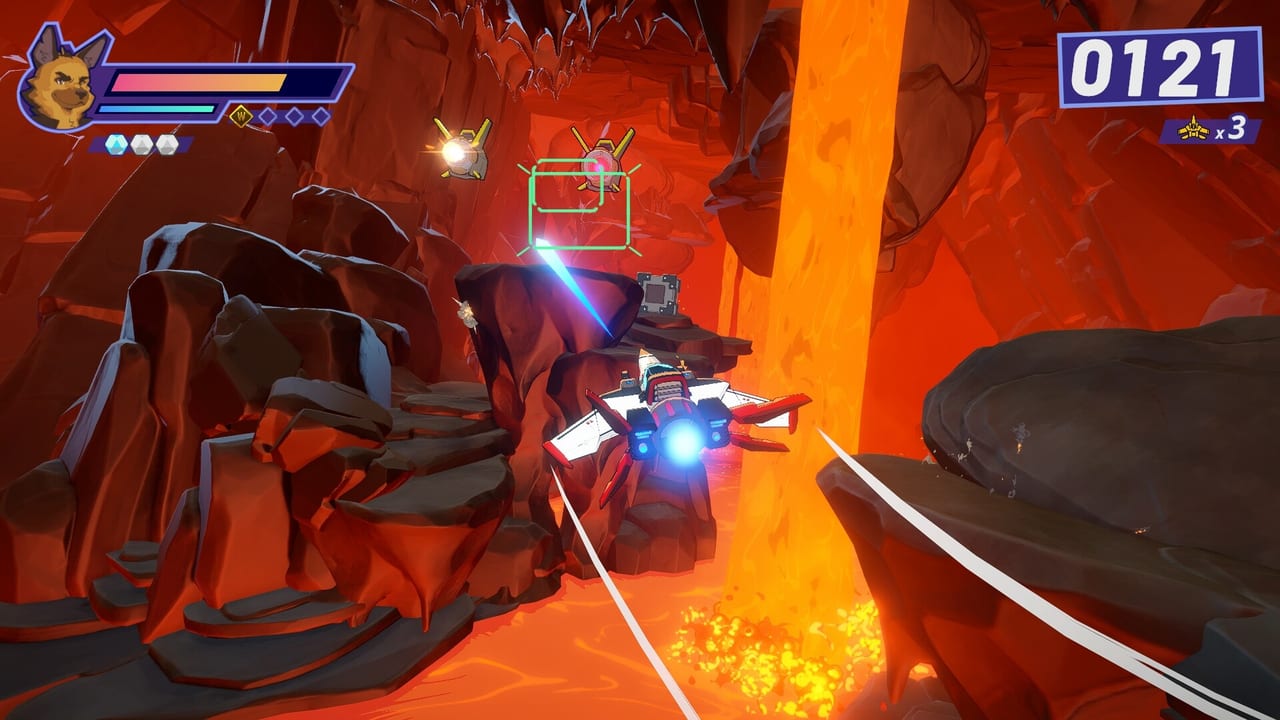
Wild Blue Skies ships with a lean options menu focused on playability rather than graphics gimmicks. For an on-rails arcade shooter chasing Steam, PlayStation 5, and Xbox Series players at launch—and Nintendo Switch players in fall 2026—the most impactful toggles affect how laser bursts fire, whether auto-fire handles cadence for you, and how clearly the pause-menu control diagram displays on your screen. This page walks through those settings using behavior confirmed in the Steam demo (app 1921490) and pre-release previews, so you can configure Bowie Stray’s Blue Bombers loadout before chasing medals or secret routes.
Start with the Controls Hub if you need the full input map. Pair this guide with Combat Moves once you understand what auto-fire automates—and what it cannot.
Pause menu and the control diagram
Pausing Wild Blue Skies opens a menu with a control diagram on the left side. This diagram is the live source of truth for laser, charge shot, bombs, boost, brake, tilt, and barrel roll on your active device. Unlike static tutorial slides, the diagram reflects controller versus keyboard profiles and updates when rebinding on Steam.
Use the diagram when:
- You forget which bumper handles tilt versus double-tap barrel roll.
- You swap from keyboard to gamepad mid-session on PC.
- A friend picks up the pad on co-op couch spectating (Wild Blue Skies remains single-player; spectators still benefit from clarity).
There is no substitute for opening pause once at the start of each platform version you play. Many Demo Tips recommend a thirty-second pause check before your first medal attempt.
Auto-fire explained
Auto-fire toggles whether the game automatically continues laser burst cadence while you hold or toggle the laser input, depending on implementation in your build. Because laser fires a three-round burst, manual mashing can interrupt cycles and reduce DPS—a pain point repeatedly noted by players migrating from Star Fox-style hold-to-charge games.
With auto-fire enabled, Wild Blue Skies paces bursts for you. Benefits include:
- Lower finger fatigue during long medal grinds.
- Cleaner focus on charge shot timing and bomb placement.
- Easier onboarding for players who found Controller Layout overwhelming at first.
Tradeoffs include:
- Less precise pause between bursts when enemies expose brief weak windows.
- Potential overfire into invulnerable phases where disciplined tapping would save heat or score modifiers—some medal rules in Score and Medals reward restraint.
- Reduced practice value if you never learn manual cadence before Beat Bosses on higher difficulties.
Recommended approach: learn manual bursts in the demo’s early missions, enable auto-fire for branch-heavy routes in Branching Paths or secret hunting in Secret Paths where movement inputs demand more brain bandwidth.
Charge shot and auto-fire interaction
Auto-fire applies to laser, not charge shot. Charge remains a deliberate hold-and-release on its separate button. Settings that confuse these two systems cause the most forum questions ahead of launch—players assume one master “fire assist” toggle governs everything.
Keep charge on a finger that never rests on laser. On PC, separate keys by at least one row; on controller, use opposite face buttons. Keyboard and Mouse covers PC-specific separation strategies.
Remapping and Steam Input
Steam builds support remapping within the game’s options and through Steam Input layers. Console platforms typically allow system-level button swaps; in-game remapping may expand closer to August 13, 2026. When remapping:
- Preserve distinct laser and charge bindings.
- Keep boost and brake on triggers or comfortable keyboard pinky keys.
- Avoid placing barrel roll double-tap on the same key as tilt hold unless you accept misfires.
Document your profile in Tools if you share layouts with the community.
Audio, language, and accessibility notes
Wild Blue Skies offers full English and Japanese voice audio with UI text in multiple languages listed on Platforms. Subtitles help parse squad callouts from Thorne, Chuck, and Roe during branch warnings—useful when adjusting settings mid-mission.
Visual accessibility options in preview builds focus on clarity rather than colorblind filters alone. High-contrast HUD elements pair well with reading medal requirements on the Scoring pages. If text size options appear in the day-one patch, increase HUD scale before practicing speed gates.
Suggested settings profiles
Story-first profile — auto-fire on, default bindings, pause diagram checked once per session. Prioritize enjoying Grimclaw set pieces and Blue Bombers banter from Characters.
Medal-chase profile — manual laser cadence, auto-fire off, confirm trigger boost/brake sensitivity on controller. Pair with Score and Medals route notes.
Secret-path profile — auto-fire on, vibration on for boost cues, brake sensitivity tuned for slow-drifting hidden mouths. Cross-read Secret Paths before long sessions.
Before you leave this page
Open Wild Blue Skies, pause, and read the left-side diagram once. Toggle auto-fire in the first training mission and compare your laser DPS subjectively against a manual run. Settings here are not cosmetic—they directly affect whether you qualify for ribbons, survive rival squad ambushes, and discover optional corridors. Configure intentionally, then fly.
Frequently Asked Questions
Quick answers drawn from demo feedback and official details.
Does auto-fire affect charge shot in Wild Blue Skies?
No. Auto-fire applies to laser burst cadence. Charge shot still uses its own button with manual hold and release timing.
Where is the control diagram in the pause menu?
It appears on the left side of the pause screen, showing laser, charge, bombs, boost, brake, tilt, and barrel roll for your active device.
Should I use auto-fire for medal runs?
Many players disable auto-fire for maximum burst control on medals, but auto-fire is valid on movement-heavy routes if manual tapping causes inconsistent DPS.