Wild Blue Skies Keyboard and Mouse Controls
Steam demo PC bindings, remapping, and rail-shooter habits on KBM
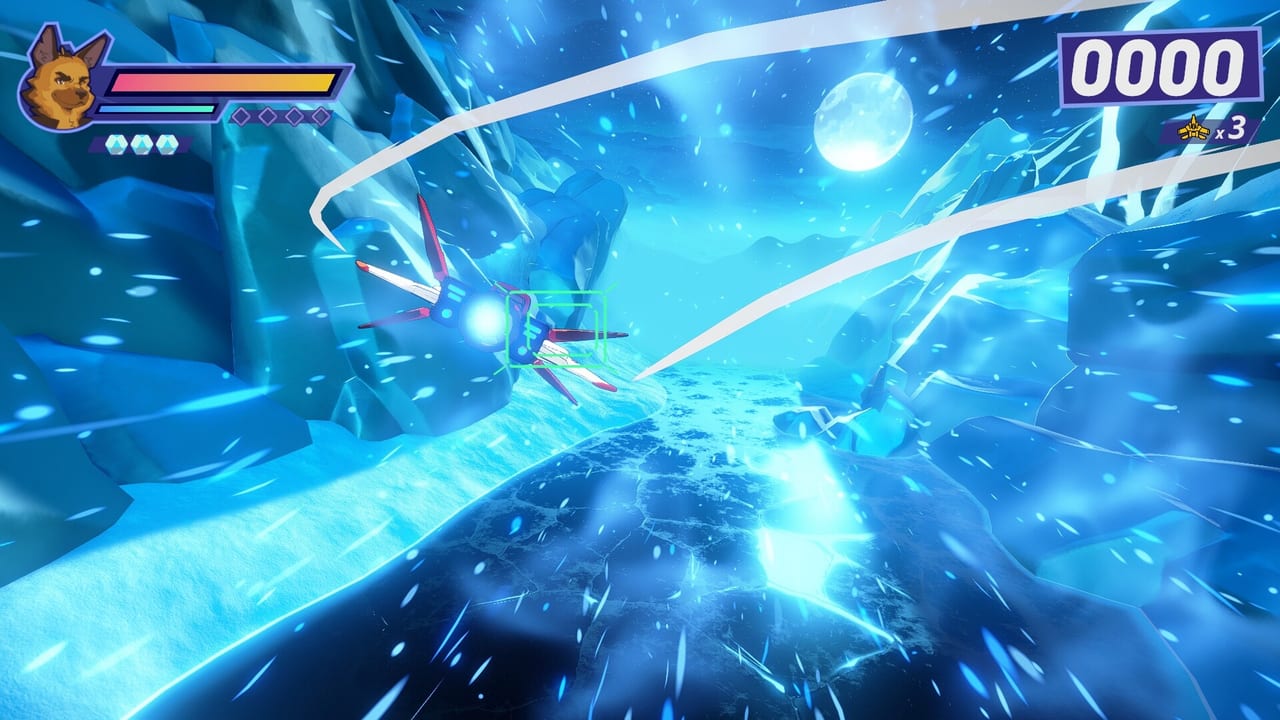
Wild Blue Skies launches August 13, 2026 on Steam alongside PlayStation 5 and Xbox Series X|S, with Nintendo Switch planned for fall 2026. Even though the game is built for controllers, the Steam app (1921490) includes a playable demo that fully supports keyboard and mouse. PC players often prefer KBM for precision menu navigation, screenshot capture, and rebinding experiments before they commit to a gamepad for medal runs.
This page explains how keyboard and mouse map to the same control philosophy described in Controller Layout: separate laser and charge shot, trigger-equivalent boost and brake, bumper-style tilt, and double-tap barrel rolls. Wild Blue Skies is still an on-rails shooter—you are not flying freely with the mouse. The mouse primarily handles menus, optional cursor actions, and any PC-specific UI, while movement along the rail remains auto-driven.
Default Steam demo philosophy
The demo treats keyboard keys as digital equivalents of face buttons and shoulders. Laser and charge shot must remain on different keys. If you bind both to the same finger cluster—common for players coming from PC twin-stick shooters—you will accidentally interrupt laser bursts or drop charge levels. The laser fires a three-round burst; spamming the key can break cadence and reduce DPS, identical to controller behavior covered in Combat Moves.
Boost and brake typically occupy keys you can hold comfortably with your pinky or index finger—often Shift and Space or similar pairs in preview builds. Think of them as digital stand-ins for analog triggers: tap boost to hit time gates for Branching Paths, hold brake to align with slow-drifting secret entrances from Secret Paths.
Tilt maps to keys mimicking left and right bumpers—commonly Q and E or arrow keys in fan notes. Barrel roll requires a double-tap on the assigned bumper key, not a long hold. Practice on keyboard is slower at first, but it proves whether you understand the input versus relying on muscle memory from a specific pad.
Recommended binding strategy
Split your hand layout by function:
- Right hand — laser, charge, bomb on three distinct keys with room between them.
- Left hand — boost, brake, tilt left, tilt right on keys you can reach without lifting off movement-adjacent keys.
- Double-tap key — choose a tilt key with a crisp switch; mechanical keyboards help register double-taps reliably.
Avoid binding laser to the mouse button unless you also disable accidental charge on the same finger. Mouse buttons are excellent for boost or bomb if your mouse software allows separate key-up events, but laser burst rhythm is easier to feel on a keyboard key with tactile feedback.
Auto-fire and accessibility on PC
Steam players can toggle auto-fire in settings, documented in Settings and Auto-Fire. Auto-fire automates laser burst timing, which helps keyboard users who cannot comfortably tap at arcade cadence. The tradeoff is less manual control during phases that reward deliberate pauses—some medal bonuses in Score and Medals assume you are not spraying constantly.
PC also benefits from Steam Input if you later switch to a controller: you can keep one profile for KBM experimentation and another for pad-accurate medal attempts. See Tools for community key-profile sharing once the wiki tools section goes live.
Pause menu diagram on PC
Pausing still shows the control diagram on the left, reflecting your active device category. If you hot-plug a controller mid-session, the diagram switches to gamepad glyphs. Verify bindings after any swap; Wild Blue Skies does not pause rail movement during menus, but mis-bound keys during resume cause instant damage on higher difficulties.
KBM versus controller for scoring
Medal and ribbon systems reward accuracy, speed, and clean flying. Controller triggers give analog boost modulation; keyboard boost is binary unless you map partial inputs through Steam. Most leaderboard chasers in preview discussions recommend controller for final medal pushes, while KBM remains ideal for learning charge/laser separation cheaply in the demo. Read Demo Tips for Steam-specific practice routes.
Troubleshooting PC controls
If keys stop responding, check Steam overlay focus and fullscreen mode. If charge never fires, confirm the key is not duplicated in Steam Input or third-party macro software. If barrel rolls fail, increase double-tap speed slightly—keyboard debounce settings on some boards ignore ultra-fast repeats.
Related pages
Return to the Controls Hub for the full category overview. Compare Controller Layout if you pick up a pad before launch. For narrative context on who you are flying as, visit Characters—Bowie Stray and the Blue Bombers share squad chatter that does not change PC bindings but helps mission pacing on keyboard.
Keyboard and mouse will not turn Wild Blue Skies into a free-flight sim. Used deliberately, KBM is a sharp teaching tool: once laser and charge live on separate keys in your head, moving to a controller for Grimclaw fights feels like upgrading hardware rather than relearning the game.
Frequently Asked Questions
Quick answers drawn from demo feedback and official details.
Does Wild Blue Skies support mouse aim on PC?
No. Wild Blue Skies is on-rails. The mouse handles menus and PC UI; weapons and lane positioning use keyboard keys mapped like controller inputs.
What is the best keyboard key for laser?
Use a key your index finger can tap rhythmically without touching charge—often J or K in default-style layouts. Avoid binding laser to the same key as charge shot.
Can I use Steam Input for hybrid KBM and controller?
Yes. Steam Input profiles let you swap devices mid-session. Reopen the pause diagram after switching to confirm active bindings.