Wild Blue Skies Demo Tips
Steam sample strategies before the full launch
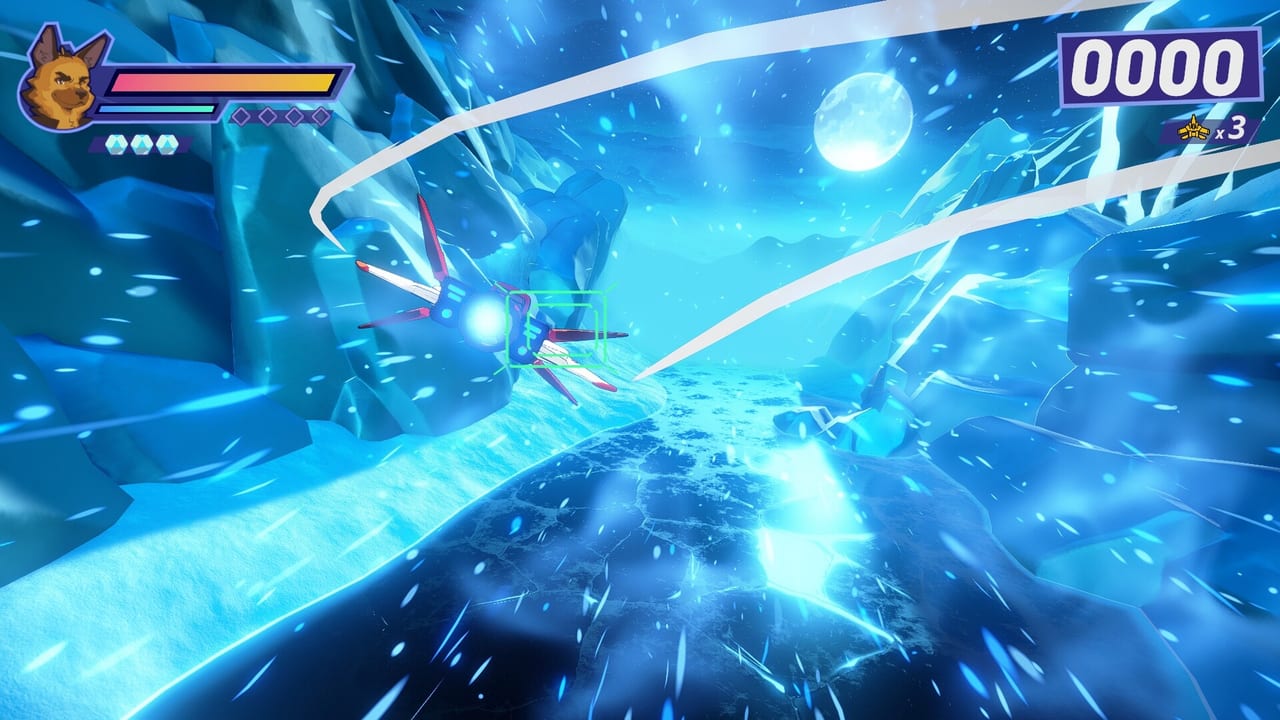
The Wild Blue Skies Steam demo (app 1921490) is the best zero-cost way to learn an on-rails arcade shooter launching August 13, 2026 on Steam, PlayStation 5, and Xbox Series X|S for about $14.99, with Nintendo Switch planned for fall 2026. Chuhai Labs and VITEI BACKROOM use the demo to teach Bowie Stray’s Blue Bombers loop—laser bursts, separate charge shots, bombs, trigger boost/brake, bumper tilt, double-tap barrel rolls—against Grimclaw’s early forces and rival squad teases. These demo tips focus on efficient practice, not marketing hype.
If you cannot find basic bindings, start at Controls and open the pause-menu diagram on the left before flying again.
Install and first launch
Search Wild Blue Skies on Steam or open store app 1921490 directly. Install the demo separately from the full game listing. First launch should include input detection for controller or keyboard; verify laser and charge sit on different inputs immediately—this is the top pain point for Star Fox veterans.
Enable subtitles to catch Thorne, Chuck, and Roe branch hints. Full English and Japanese voice audio are supported in preview builds; UI text may show additional languages listed on Platforms.
Demo learning priorities
The demo time box is limited; practice in this order:
- Laser cadence — tap three-round bursts without mashing; compare against auto-fire in Settings and Auto-Fire.
- Charge discipline — hold and release on armored targets only; feel the separate button muscle memory.
- Boost/brake gates — fail a branch once on purpose to see default path behavior in Branching Paths.
- One secret attempt — brake-tilt into a glowing side opening using Secret Paths tells.
- Debrief literacy — read medals and ribbons on Score and Medals after your first clear.
Skipping straight to boss hype without cadence practice produces frustration that looks like difficulty but is input overlap.
Controller versus keyboard in the demo
Steam supports both. Controllers match PS5 and Xbox Series layouts you will see at console launch—triggers for boost/brake, bumpers for tilt and barrel roll double-taps. Keyboard players should read Keyboard and Mouse and keep charge off the laser key row.
Hot-swapping devices mid-demo is allowed; pause to refresh the control diagram after swaps.
What the demo teaches about full game systems
Preview content confirms the demo includes:
- Modernized rail controls distinct from single-button charge shooters.
- At least one branching fork with speed or tilt choice.
- Hints toward secret geometry off the main spline.
- Medal debrief vocabulary representative of campaign scoring.
- Boss or elite set-piece pacing toward Grimclaw threats.
- Rival squad tease or duel fragment mirroring full-game aces.
The demo may not expose every ribbon type or late-campaign branches—that is normal for a sample slice.
Common demo failures and fixes
“My laser does no damage” — you are interrupting bursts by mashing; slow down or enable auto-fire.
“Charge never fires” — you press laser out of habit; remap mentally, not physically, first.
“I miss every secret” — you boost through pans; hold brake when side tunnels glow.
“Barrel roll does nothing” — double-tap bumpers quickly; holds trigger tilt instead.
“I die at the boss” — enter with a saved bomb, charge the shield break, roll through first dense pattern (Beat Bosses).
Medal grinding in the demo
Demo medals mirror full-game philosophy—excellent practice before purchase. Pick one ribbon per replay: no bombs, no damage segment, or speed gate success. Attempting all ribbons at once in a short demo session teaches bad boost habits.
Share demo medal routes in Tools when templates go live; compare with Scoring for terminology consistency.
Should you buy after the demo?
Consider full purchase if you enjoy:
- Route choice on Branching Paths and secret hunting.
- Medal screens pushing replay.
- Squad personality from Characters during missions.
- Arcade session length without live-service grind.
Wait if on-rails movement frustrates you even after control clarity—Wild Blue Skies will not become free flight in the full release.
Console players without gaming PCs
If you lack Steam access before August 2026, watch official gameplay— including demo-footage uploads—to preview tells, but recognize that muscle memory requires hands-on time. Console demos may appear closer to launch; recheck Platforms for updates without assuming unannounced dates.
Demo session cool-down
After each session, note one control improvement and one route discovery. Wild Blue Skies rewards notebook pilots. The demo is short; intentional reps beat mindless rerolls. When launch day arrives, you will already speak the game’s language—laser rhythm, charge patience, brake courage—and the Blue Bombers will feel like old wingmates rather than strangers shouting over radio static.
Frequently Asked Questions
Quick answers drawn from demo feedback and official details.
What is the Wild Blue Skies Steam demo app ID?
Steam app 1921490 hosts the Wild Blue Skies demo. Install it separately from the full game listing to practice controls and routing before launch.
Does the demo include branching paths and medals?
Yes. Preview materials show branching forks, medal debriefs, and mechanics representative of the full game, though not every campaign route or ribbon type.
What should I practice first in the demo?
Separate laser burst rhythm from charge shot timing, then learn boost and brake at branch splits. Add secret path attempts after you can clear a run with stable inputs.